Work classification
Classification asks a model to label each finished conversation: what kind of work it was, whether it reached its goal, and what evidence supports that judgment. Stats uses these labels for its work-mode, outcome, and work-frontier charts, and for the period comparison in its Changes tab. Classification is on by default and runs in the background with an agent CLI you are already signed in to.
- App
- Settings → Classification
- CLI
hansard classify
Configure classification in the app
Section titled “Configure classification in the app”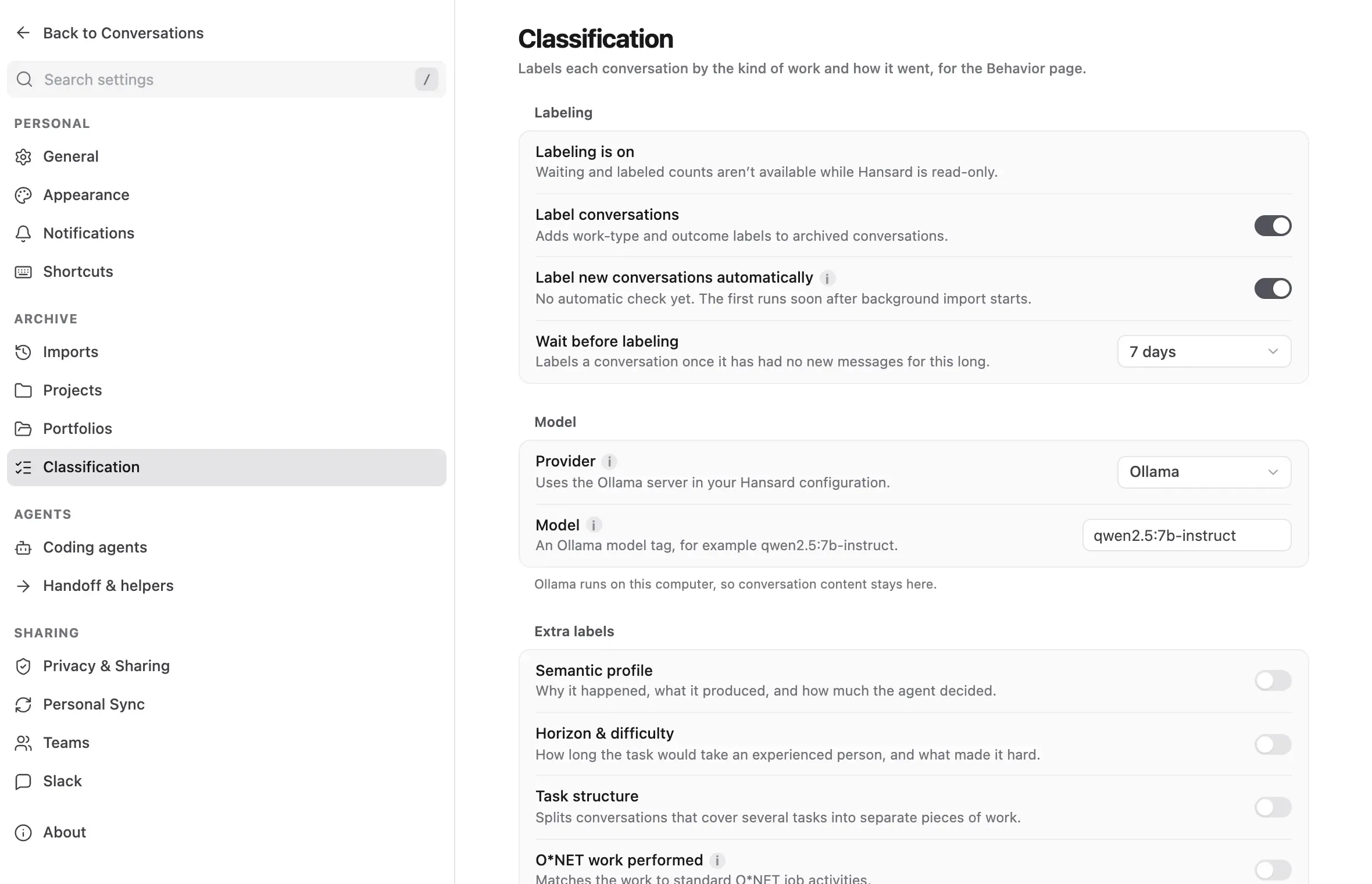
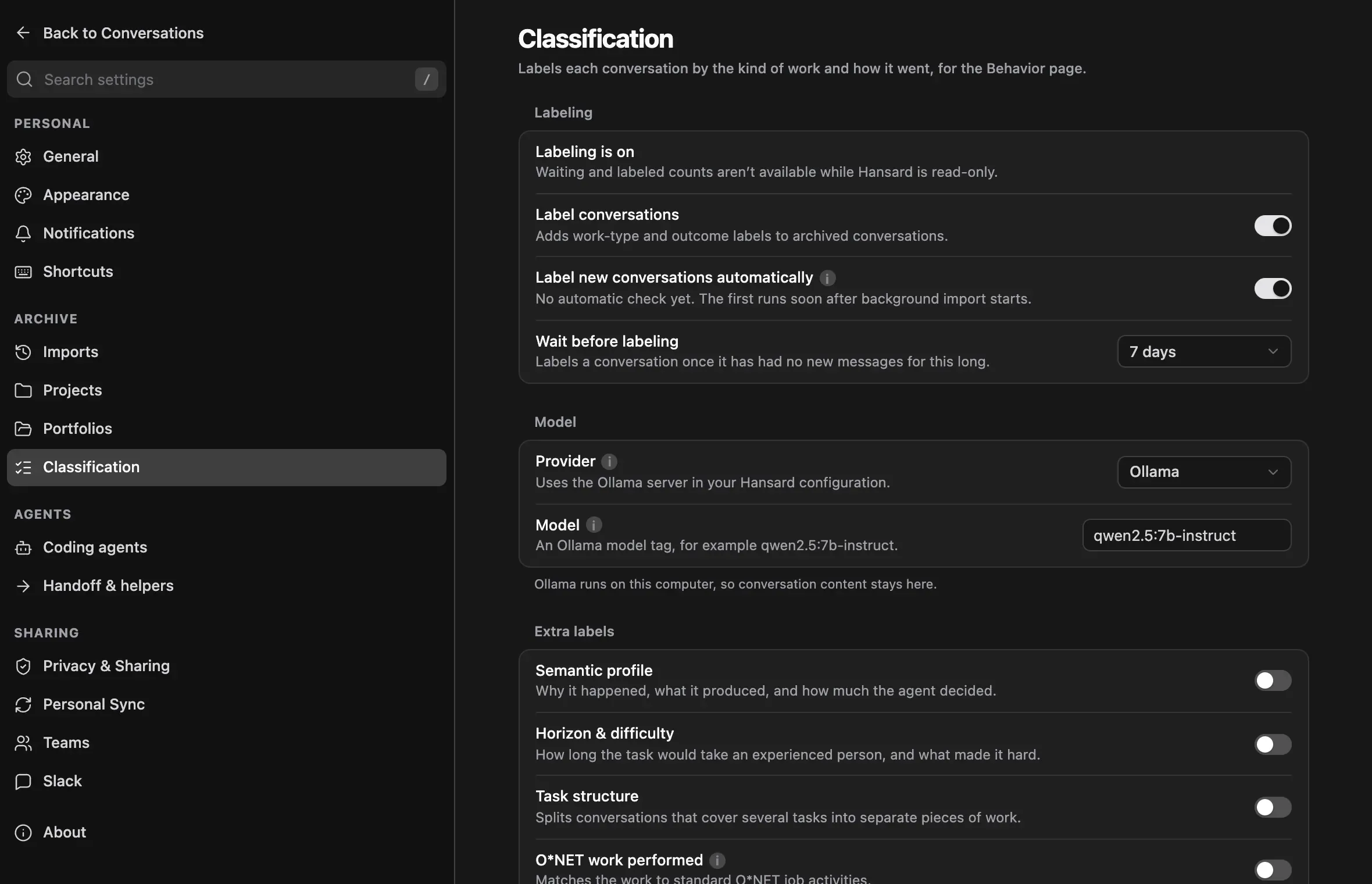
- Open Settings → Classification.
- Keep Label conversations on to label conversations. Turn it off to stop all classification.
- Keep Label new conversations automatically on to let the watcher label
conversations every 15 minutes. In Wait before labeling, choose how long
a conversation must go without new messages before it is labeled, from
12 hours to 14 days, or choose Custom… and enter a value such as
36h. The default is 7 days. The row also reports the last automatic pass. - Under Model, choose a Provider. Automatic tries Claude Code if you are signed in, then Codex, then Ollama, and shows which one it uses.
- Each provider labels with its own light model:
claude-sonnet-5through Claude Code or the Anthropic API,gpt-6-lunathrough Codex or the OpenAI API. To use a different model, choose a provider and enter it in Model. Clearing the field restores the light model, never the model you chat with. Jev API key sends each conversation to TypeSafe’s Jev model withTYPESAFE_API_KEY. Jev returns typed labels with calibrated confidence instead of written reasons, is billed by input tokens only, and does not support Task value. Horizons from Jev are the midpoint of the chosen range. - Under Extra labels, turn optional label sets on or off.
- To label waiting conversations now, select Label now beside Label waiting conversations, which also reports how many are waiting. To add the extra labels to conversations that are already labeled, select Add now beside Add to labeled conversations. If the provider sends data off this computer, Hansard asks you to confirm first. Stop ends the run.
A run labels up to 200 conversations, oldest first, and shows pending, complete, retrying, and failed counts while it works. It resumes where it left off if interrupted.
Classify from the CLI
Section titled “Classify from the CLI”Check what is configured and how much is pending:
hansard classify statusLabel pending conversations now, or tune the automatic pass:
hansard classify runhansard classify run --profile enrichment --limit allhansard classify auto --stale-after 3d --limit 50hansard classify auto disableTo inspect one conversation’s stored labels, run hansard classify show
followed by its session ID. hansard classify clear --session followed by a
session ID removes that conversation’s labels, and
hansard classify clear --yes removes every stored label. Clearing labels
never touches archived conversations.
hansard classify run accepts these options:
| Option | Effect |
|---|---|
--profile <profile> |
Chooses which request to run: core (the conversation request, default), task, enrichment (every enabled request except core), or all. |
--limit N|all |
Sets the maximum number of jobs. The default is 200. |
--source <provider> |
Labels only one harness’s conversations. |
--since 30d|all |
Labels only conversations that started in the window. |
--include-sdk-jobs |
Also labels one-shot SDK jobs, which are skipped by default. |
--force |
Labels conversations again even when their labels are current. |
--batch-size N |
Sets conversations per model request, up to 16. |
--workers N |
Sets how many requests run at once, up to 8. |
--no-wait-for-imports |
Starts without waiting for running imports to finish. |
--json |
Prints a machine-readable summary. |
hansard classify auto takes --stale-after (the idle threshold) and
--limit (jobs per 15-minute pass, default 100). The first automatic pass
starts a few minutes after the watcher launches, and pending imports always go
first.
Choose where classification runs
Section titled “Choose where classification runs”| Backend | Setting | What it uses |
|---|---|---|
| Signed-in CLI | auto (default) |
The Claude CLI if it is signed in, then the Codex CLI, otherwise Ollama. |
| Ollama | local-model |
Your Ollama server, http://localhost:11434 by default. Needs a model tag such as qwen2.5:7b-instruct. |
| Claude CLI | claude-cli |
Your signed-in Claude account. No API key. |
| Codex CLI | codex-cli |
Your signed-in Codex account. No API key. |
| Anthropic API | anthropic |
ANTHROPIC_API_KEY from Hansard’s environment. Billed by usage. |
| OpenAI API | openai |
OPENAI_API_KEY from Hansard’s environment. Billed by usage. |
To choose a backend and model from the CLI:
hansard config set classify.backend local-modelhansard config set classify.model qwen2.5:7b-instructHansard remembers a model for each backend. With the Claude or Codex CLI, leave
the model blank to use that CLI’s default. Ollama and the two APIs need an
explicit model. The Codex CLI runs classification at low reasoning effort
unless you set classify.reasoningEffort.
For every connection Hansard makes, see What leaves your machine.
What classification records
Section titled “What classification records”Each conversation is labeled by one model request per view of it, so the conversation is sent once instead of once per label:
| Request | Reads | Labels | On by default |
|---|---|---|---|
| Conversation | The conversation digest | Work mode, outcome, success and failure evidence, purpose, task family, primary output, collaboration mode, decision autonomy, your expertise in the task, and who made the planning and execution decisions | Yes, always |
| Task horizon & O*NET work | Your requests only, never the agent’s replies | How long the task would take an experienced person without AI, ten difficulty facets rated 1 to 10 (including how hard mistakes are to undo, how novel the task is, how much the environment changes, and how much information must be found), task boundaries, and the work functions matched to a copy of the O*NET taxonomy bundled with Hansard (one extra lookup request; nothing is requested from O*NET) | Yes |
| Task value | The conversation digest | A rough, comparative value estimate for the task | No |
A field the model returns malformed is retried on its own; the rest of the reply is kept.
The core labels use these values:
- Work mode: Plan, Build, Fix, Understand, Test, Operate, Analyze, Orchestrate, or Communicate.
- Outcome: Succeeded, Partially Succeeded, Failed, or No clear goal. Success rates count only the first three, called goal-bearing sessions.
- Success evidence and Failure evidence: how strong the proof is, from 1 to 5. No evidence observed means the model checked and found none. Unclassified means no current label exists yet.
Horizon and difficulty are judged from your requests alone, never from how fast the agent worked or whether it succeeded.
Hansard skips machine-started sessions such as status probes and Codex action
assessments, and one-shot SDK jobs unless you include them. It labels a
conversation again only when its content or the label definitions change.
Switching the model or provider keeps existing labels; run
hansard classify run --profile all --force to relabel with the new one.
See the results
Section titled “See the results”- Stats → Work & autonomy shows work modes, outcomes, evidence, and the work frontier. Detailed charts appear once more than 25% of eligible conversations are labeled; before that, a coverage card shows progress. See Stats.
- The Stats Changes tab compares work-mode mix and outcomes with the prior period, and its Write a retrospective button uses the same backend. See Compare periods.
- In a classified conversation, Session details in the conversation header includes a Classification section with its work mode, outcome, evidence, and status flags such as verified success.
hansard statsincludes a classification section, andhansard classify showprints one conversation’s stored labels.
Labels are a model’s estimates, not ground truth. Use them to compare large groups of conversations rather than to grade a single one.
Turn classification off
Section titled “Turn classification off”To stop only the automatic background pass and keep explicit runs:
hansard classify auto disableTo turn classification off entirely:
hansard classify disableIn the app, turn off Label new conversations automatically or Label
conversations in Settings → Classification. Existing labels stay until
you run hansard classify clear --yes.
Troubleshooting
Section titled “Troubleshooting”A run or automatic pass stopped with a usage, spend, or sign-in message.
The CLI backend reported a limit or is no longer signed in.
hansard classify status shows the reason under the last pass. Sign in again
or wait for the limit to reset; the watcher retries on its next pass.
A run waits before starting. Explicit runs wait for active imports to
finish and for a short quiet period. To start anyway, add
--no-wait-for-imports.
Classification requests appear as conversations in the archive.
Run hansard classify cleanup --dry-run to preview them, then
hansard classify cleanup to remove them.
Stats shows a coverage card instead of charts. Fewer than 25% of eligible
conversations have current labels. Run hansard classify run --limit all, or
wait for automatic passes to catch up.