Browse conversations
The Sessions view lists every archived conversation from every harness, grouped by folder and ordered by recent activity. Open one to read the full transcript, including tool calls, diffs, and subagent runs, with its changes, files, and terminals beside it. The app’s Share or export saves readable copies and trajectories. The CLI also exports archive bundles and deletes archived conversations.
- App
- Sessions
- CLI
hansard show
Browse conversations in the app
Section titled “Browse conversations in the app”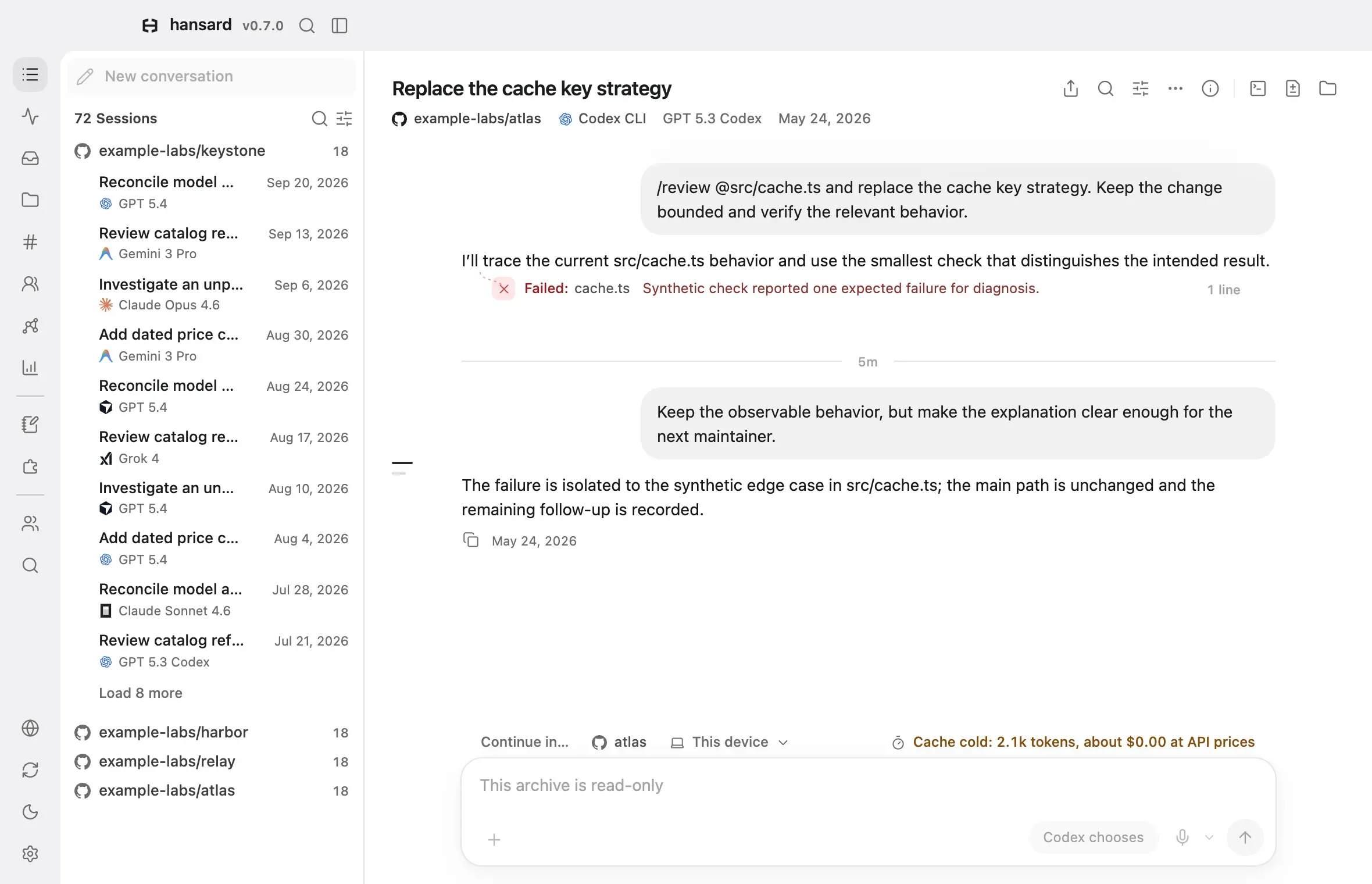
-
Open the desktop app, or run one of these commands:
Terminal window hansard apphansard webhansard appopens the desktop app on macOS or Windows and installs it if missing.hansard webopens the same interface in your browser. -
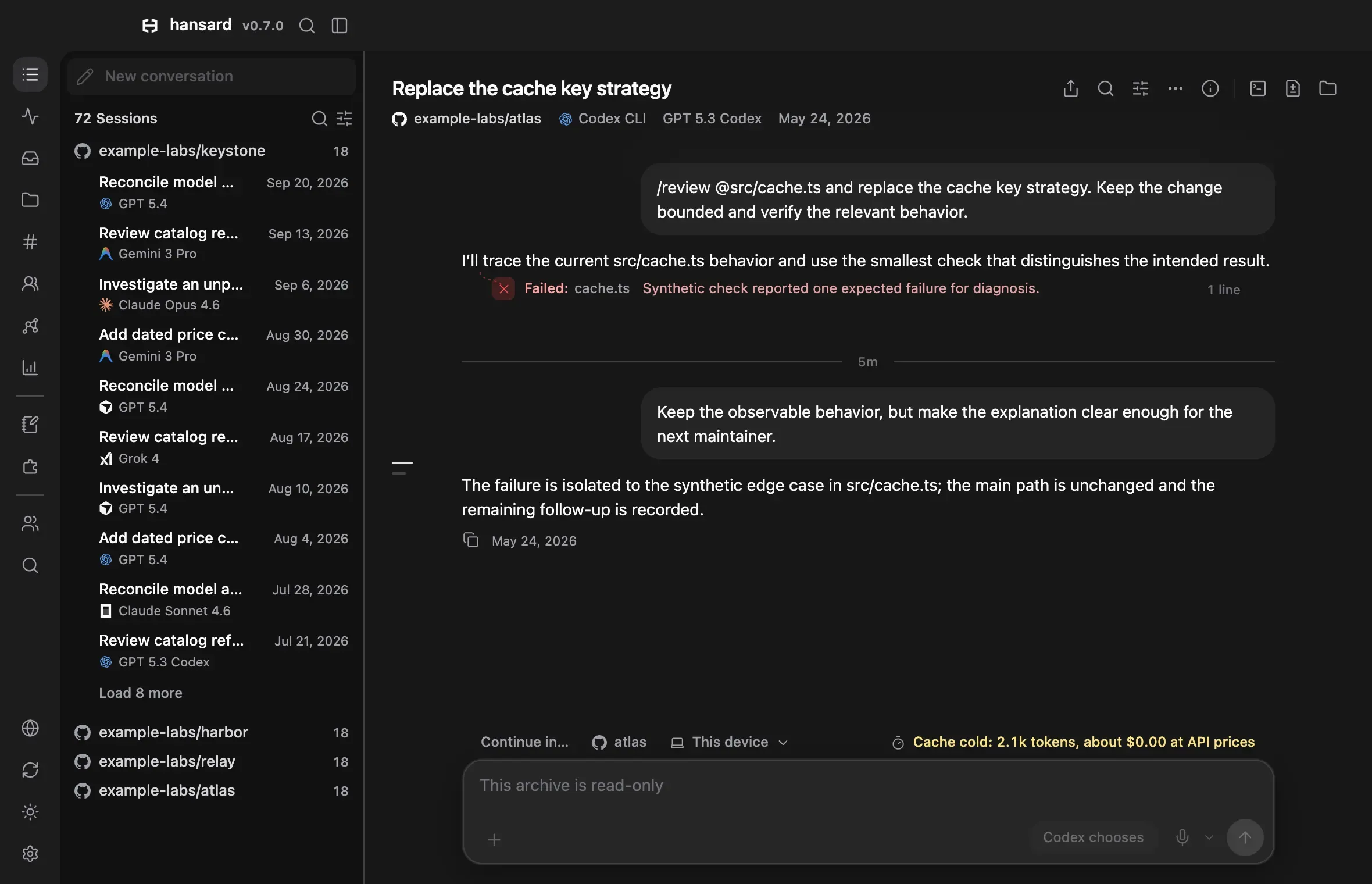
Select Sessions in the dock. Each folder shows how many conversations it holds, and the most recently active folders come first.
-
Select a folder’s icon to expand or collapse it. Select the folder name to open its project overview instead.
-
Select a conversation to read it. At the end of a long folder, select the load-more row to see older conversations.
-
A conversation that started subagents shows a count with a robot icon. Select it to open the conversation in its Agents view, then select a subagent’s card to open its transcript.
To find a conversation by what it contains, use Search.
To jump anywhere, open the command palette with Cmd+K on a Mac or Ctrl+K
on Windows and Linux, or select the search button above the session list.
Type to search conversations, open a view, or run one of the page’s actions. To hide the button, turn off Settings → Appearance →
Command palette button; the keys still work.
How conversations are grouped
Section titled “How conversations are grouped”Each folder is a Git repository or a working directory. Imported ChatGPT, Claude.ai, and Gemini chats are grouped by service and account, and by project when the service has projects. Conversations from a harness that recorded no working directory go into a folder for that harness. Conversations synced from another device are marked as received. Conversations teammates share stay in Teams unless you turn on Show team conversations in Sessions, Stats, and Graph in Settings → General.
When a folder can be renamed, select Rename folder (the gear beside its name) to give it a clearer name. To combine several folders into one project, see Projects and coordinators.
Two settings change how the list behaves:
- Settings → General → When you open a project chooses whether selecting a folder name shows the project overview or reopens the last conversation you viewed there.
- Settings → Appearance → Conversations shown at first and Conversations added per Load more set how many conversations each folder lists at first and how many each Load more adds.
Rename a conversation
Section titled “Rename a conversation”Select Rename in the conversation’s Actions menu, or right-click the conversation in the Sessions list and select Rename. The name replaces every other title, and imports and rebuilds keep it. Use original title removes it. Received conversations and read-only viewers offer no rename.
A long conversation’s row in the Sessions list also shows its latest request on a Now: line under the title.
Read a conversation
Section titled “Read a conversation”The header shows the title and, on the line below it, the project, the harness, the model, and the time of the latest activity, or Time unknown when the conversation has no usable time. Conversation lists and search results show Time unknown too. When a conversation used several models, the one with the most replies comes first, followed by a count of the others; point at it to see each model’s replies. Codex speed and reasoning effort appear on the same line when the conversation recorded them. Select the project to open its overview. A Memory link appears on that line when a harness saved a memory from this conversation; select it to open the memory. See Memories. The person and device appear there only when they differ from this machine’s.
The controls at the right of the title:
| Control | What it does |
|---|---|
| Share or export | Saves the conversation as a web page, PDF, or Markdown copy to read, or as an ATIF or EATIF trajectory for agent tooling. Readable copies can be reviewed and edited before you save them, and the archive does not change. Copy link copies a link that opens the original conversation for someone with access to this Hansard viewer. See Share a conversation. |
| Find in transcript | Finds text in the open conversation. See Find text inside one conversation. |
| View options | Chooses the transcript view and what it shows. See Choose what the transcript shows. |
| Actions | Holds the commands listed below. |
| Show details | Opens the Details panel beside the conversation, described below. The panel opens on its own when the window is wide enough, and stays closed once you close it. Where the window has no room beside the conversation, it opens over it. |
| Show terminal, Show changes, Show files | Show a terminal, the conversation’s changes with a count of the lines it added and removed, or the project’s files beside it. See Work beside a conversation. |
Actions opens a menu. Continue conversation and Open in open submenus of the commands below, and Copy opens a list of what you can copy:
| Command | What it does |
|---|---|
| Resume in Hansard | Resumes the conversation with its full history in the app, in the same harness. Type a message in the composer and send it. Whichever of the two resume commands you chose last becomes the composer’s default. See Resume or fork in the same harness. |
| Resume in terminal | Opens a terminal in place of the transcript and types the harness’s own resume command at a shell in the conversation’s folder, so the conversation continues in its CLI. A message typed in the composer becomes the agent’s first prompt where its CLI accepts one. Show transcript brings the transcript back above the terminal and Hide transcript puts it away, and the terminal’s menu holds Minimize and End. The terminal keeps running when you open another conversation, and shows again when you come back. Choosing it again returns to that terminal, or runs the command again once the shell is back at its prompt. It appears only when the harness has a resume command, and waits while a turn started from the app is running. |
| Continue in another terminal | Ends Hansard’s copy and opens the harness’s resume command in cmux, Terminal, iTerm2, or Ghostty. On a Mac only. See Continue in another terminal app. |
| Open in Running | Brings the conversation back into Running and resumes its CLI there. |
| Show terminal | Opens the Hansard terminal the conversation’s agent runs in. It appears while the agent runs in one of Hansard’s terminals. |
| Stop agent | Asks the conversation’s running agent to exit, after a confirmation. It appears while the agent runs on this computer. See Running agents. |
| Take over | Stops the conversation’s copy in another terminal app, so it continues only in Hansard. It appears when Take over conversations running elsewhere is off, or when you kept the other copy. See Take over a conversation running elsewhere. |
| Fork in Codex or Fork in Claude Code | Switches the composer at the bottom of the conversation to fork mode. Type instructions and send them to branch into a new conversation in the same harness. It appears only for conversations the app can fork, and it is unavailable in a read-only viewer or while a turn is running. See Resume or fork in the same harness. |
| Open in Codex Desktop | Opens a local Codex conversation in the Codex app without sending a prompt. It appears when the Codex app is installed and the original thread is still in the default Codex store. |
| Rename | Gives the conversation a name that replaces every other title. Imports and rebuilds keep it. See Rename a conversation. |
| Copy | Opens a list of what you can copy: Resume command, the harness’s own command to reopen the conversation in its CLI; Continue-from prompt, /continue-from followed by the session ID, to paste into an agent with recall installed and pick up this conversation there (in Codex, start the prompt with $continue-from instead); Session ID; and Session details, the session ID, repository, path, transcript file paths, and timestamps, ready to paste into another agent. |
| Related conversations | Lists the eight conversations closest in meaning to this one, each marked Very similar, Similar, or Related. It appears once search by meaning is ready. |
The Details panel starts with an overview: the harness and its version, the
source, the models with their speed and effort when recorded, token totals with
cache reads and writes, message count, and start and latest activity times.
While the agent runs, a row shows where its process runs, with CPU and memory,
and a forked conversation names the one it came from under Forked from. The context breakdown
follows, by category, with a chart of how the prompt grew across compactions.
Connectors lists the MCP servers the conversation used. Changes sets
the conversation’s edits beside the checkout’s other uncommitted files, and
Create PR commits the checked files from a private index, pushes them, and
opens a pull request with gh. It never changes the checkout and never
merges. Recorded runtime events, such as approvals, retries, and failures,
and the work classification follow when the conversation has them (see
Work classification). It ends with the person, device,
folder, branch, session ID, and resume command; the session ID and the resume
command each have a copy button.
For conversations whose provider reports more about them, the last row of the overview opens a record of everything it recorded, such as Devin details, Claude.ai details, or ChatGPT details. A Devin record shows status, usage, pull requests, Devin’s own classification, and related sessions. A Claude.ai or ChatGPT record shows the conversation’s model and settings, its project, and the other branches of the conversation, each with Open to read that branch from the archived capture. The button at the end of the record lists every field the provider recorded.
See the task list and what changed
Section titled “See the task list and what changed”When the agent keeps a task list, such as Claude Code’s to-dos, Codex’s plan, or Cursor’s to-dos, the conversation pins its latest list at the top: how many tasks are done, a progress bar, and the current task. Select it to open the whole checklist. It stays open or closed as you left it. During a run started in Hansard, the list updates as the agent works. A Codex list updates at the end of each turn.
When a conversation moved on since you last read it, a Since you last looked card sits above the first new message:
- Status and Next step: what the agent last reported.
- Changes: the files the conversation changed, with lines added and removed.
- Commits: the commits made since you last looked.
- Questions: questions waiting for your answer.
The card comes from what the archive recorded, never from a model. Select Dismiss to remove it. It also goes when you leave the conversation.
Choose what the transcript shows
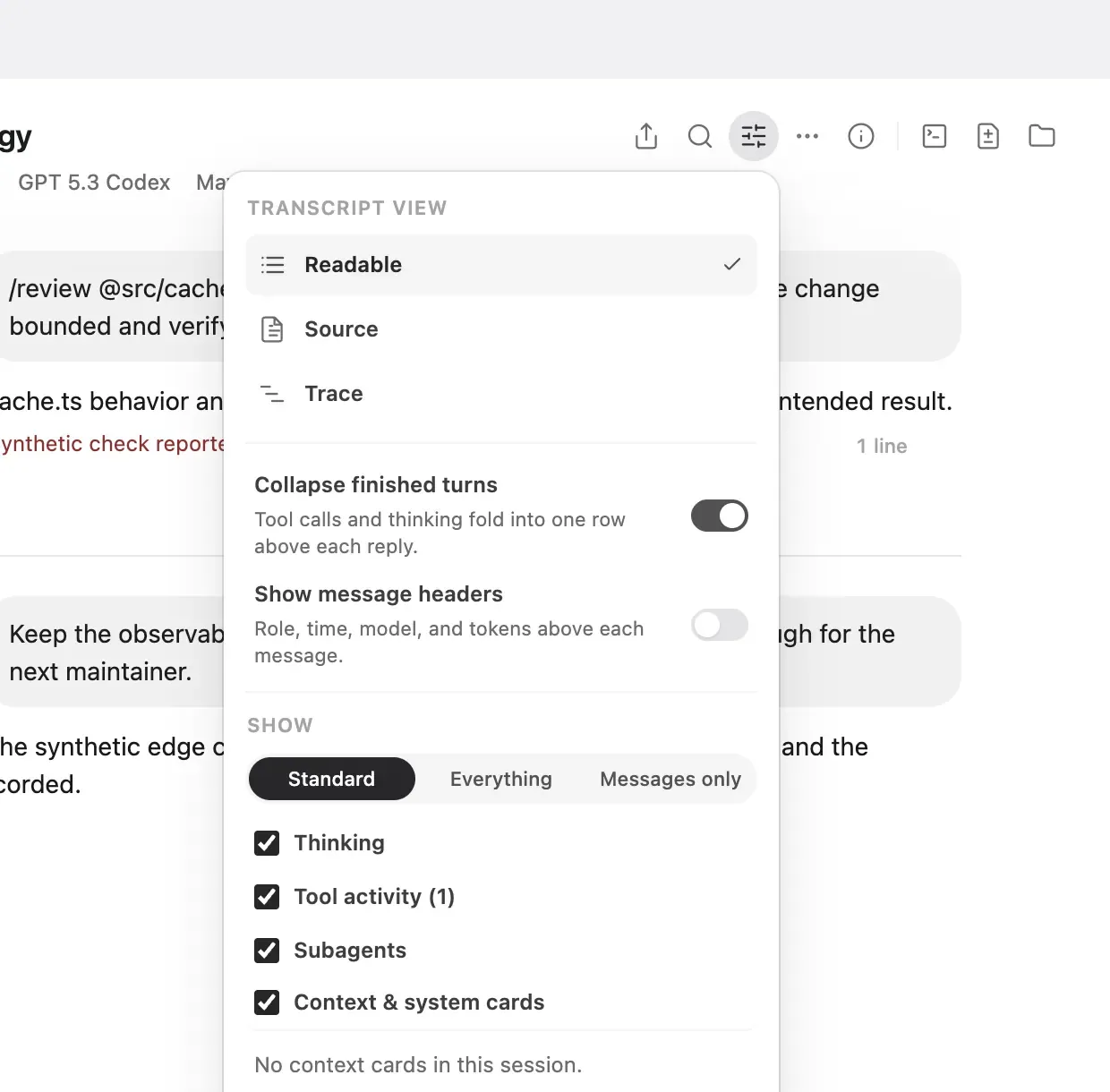
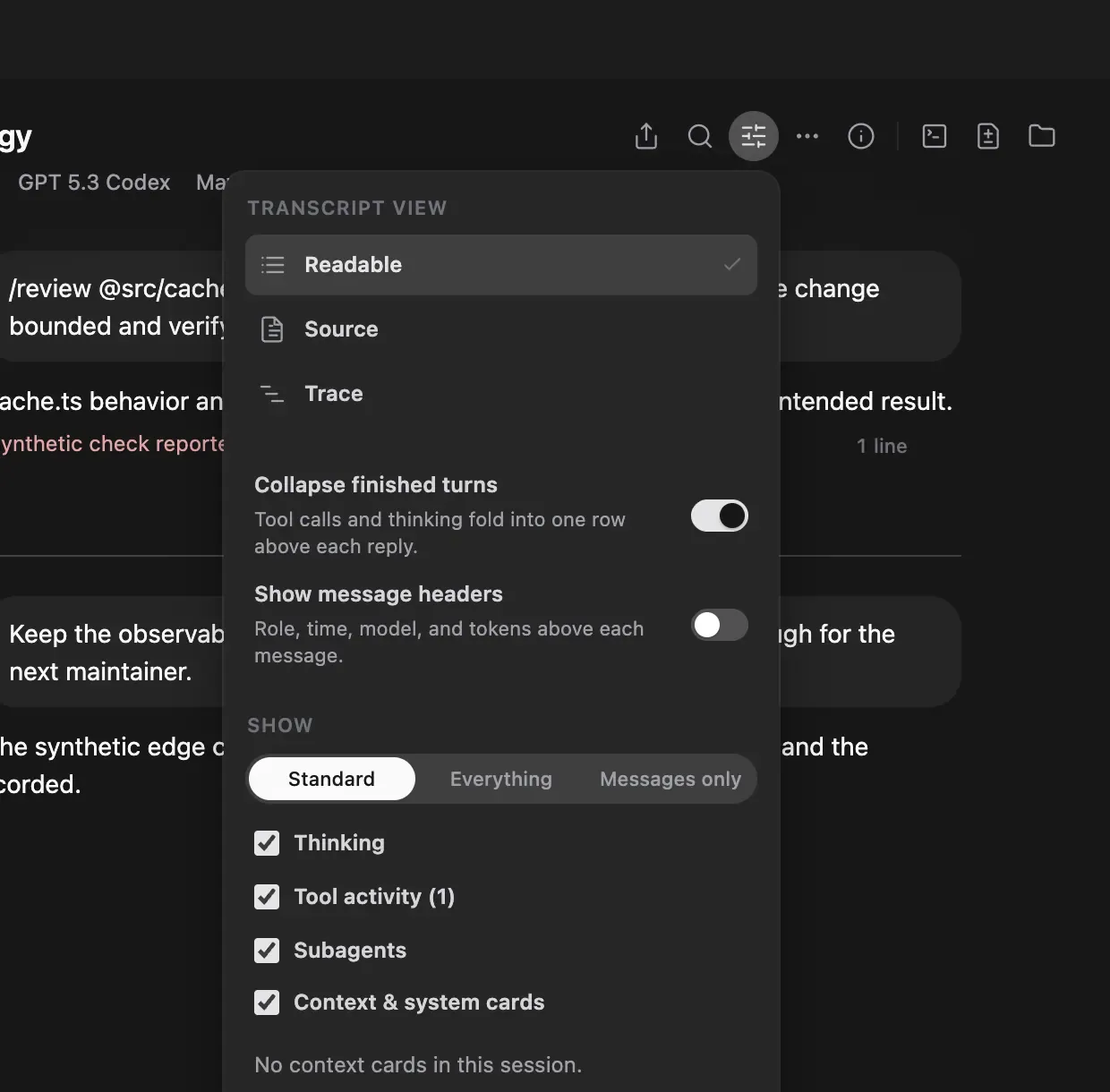
Section titled “Choose what the transcript shows”Select View options (the sliders icon) in the conversation header:
- Under Transcript view, Readable shows messages, tool calls, results, and diffs as cards. Source shows the conversation as Markdown.
- Trace draws each turn’s model responses, tool calls, and subagent runs as bars on that turn’s active time, under an overview of the whole conversation.
- Agents lists the conversation’s subagents, the agents it started, and the
conversations it messaged. It appears only for a conversation that started
agents or messaged another session.
hansard show <session-id> --agentsprints the same list in a terminal: each agent’s start, duration, state, harness, model, task, one-line result, and cost. - Collapse finished turns folds a finished turn’s tool calls and thinking into one row above its reply. Show message headers adds the role, time, model, and tokens above each message.
- Under Show, Standard is the default. It hides context the harness injected into the model, such as system reminders, environment details, instructions, and skills, and harness housekeeping such as hook and queue events.
- Everything shows all of it. Messages only leaves only your messages and the assistant’s replies.
- Thinking, Tool activity, Subagents, and Context & system cards each have their own switch. Under Context & system cards, you can turn individual kinds of context on or off and preview them.
These choices change the display only. The archived transcript stays the same, and the app remembers your choice in this browser or app. To hide context cards everywhere, turn off Settings → Appearance → Context and system cards.
Tool calls, commands, and subagents
Section titled “Tool calls, commands, and subagents”- A finished turn folds its steps under a Worked for row, which counts active time without approval waits and starts with how the turn ended. Open it to see the step timeline: consecutive calls of one kind form one step, failed calls branch to the side, and subagents branch off and rejoin.
- Tool cards show a summary. Open a card to load its full arguments and result.
- A command you typed in Claude Code bash mode appears as a command card with its output.
- Subagent runs appear as pills, so several parallel runs fit on one row. Select a pill to open that run’s transcript, or select its arrow to expand the prompt and result in place.
- Inside a subagent transcript, select Original to return to the parent conversation, or use the arrows beside it to move between subagent runs.
- A question the harness asked you appears as a card with every option and the answer you chose or typed. A proposed plan appears as a plan card, an API error as an error row, a compaction as one divider, and web search results as links.
- An edit’s one-line success reply folds under its diff.
Long transcripts
Section titled “Long transcripts”A conversation opens at its latest message and loads earlier messages as you scroll up. If loading pauses or fails, the top row becomes a Load earlier messages button. Select it to continue.
On wide windows, marks along the right edge stand for each of your messages. Point at them to list your messages, then select one to jump to it. Jump to end, the round button above the composer, returns to the latest message. When a long transcript opened at an earlier message, such as a search match, the button reads Latest messages and opens the newest messages, and Load newer messages at the end of the loaded part continues from there.
A divider marks long pauses in a conversation. To change how long a pause must be, or to turn the dividers off, use Settings → Appearance → Time gaps.
Formulas
Section titled “Formulas”Formulas written in TeX render as math: $…$ and \(…\) inline, and $$…$$,
\[…\], and math code blocks on their own lines. Dollar signs that read as
prices or shell variables stay text. A formula that does not parse keeps its
TeX source.
Work beside a conversation
Section titled “Work beside a conversation”The workspace pane shows a conversation’s changes, its project’s files, and
terminals beside the transcript, as up to three stacked panes. Open one with
Show terminal, Show changes, or Show files at the right of the
header, or by selecting a file path in the conversation. Primary+J opens a
terminal, Primary+Shift+B shows or hides the changes, Primary+E goes
to a file, and Primary+B shows or hides the panes that were open. Drag the
pane’s edge to resize it, or select Maximize in a pane’s header.
- Changes lists the conversation’s recorded edits. In a Git project,
choose Working tree under Changes to show to compare the current
checkout with
HEAD. Show side by side draws each diff in two columns when the pane is wide enough, and Show unified diff returns to one. - Files browses the project tree, and Go to file searches file names. Code is highlighted, Markdown opens as Preview or Source, and CSV and TSV files open as Table or Text. Images, PDFs, video, and audio preview in place. Documents such as Word, Excel, PowerPoint, Pages, and Keynote files show a card with Open, Show in Finder, and Download. Open in default app in a file’s menu opens it in its usual app, and a file the conversation changed also offers Diff.
- Terminal starts an interactive shell in the conversation’s folder. Its Agent tab lists the commands the agent ran in the conversation, with their output. Shells keep running when the pane closes or the page reloads; closing a terminal or stopping the app ends them.
To change the order of the panes, drag a pane’s header up or down, or focus its
title and press Option+Up or Option+Down (Alt on Windows and Linux).
Terminal tabs move the same way: drag a tab, or press Option+Left or
Option+Right on it. Each order stays the same in this app or browser.
File paths and links in the conversation, including tool targets and
path:line references, open in Files at that line. When the project folder
is not on this computer, they open the recorded edits in Changes instead.
Files and terminals need the project folder on this computer and an app that is not read-only, running on the same computer as Hansard. Received and read-only conversations still show their recorded edits and the Agent command list.
In a conversation attached to a run on another of your computers, the pane reads that computer’s project, read-only. Changes shows its working-tree diffs, and Files browses the project tree, searches file names, and previews text files. Terminals, file edits, downloads, and media previews stay unavailable. Both computers need a current Hansard; an older host shows an update instruction. Refresh workspace reads the remote project again.
Continue a conversation
Section titled “Continue a conversation”Conversations from harnesses that Hansard can run show a composer at the bottom. You can resume the conversation, fork it, or hand it off to a different harness. The New conversation button at the top of the conversation list opens Running, where you start a fresh conversation in one of your archived folders. See Continue in another harness.
Read a conversation from the CLI
Section titled “Read a conversation from the CLI”Print a conversation as readable text:
hansard show <session-id>Run hansard show without a session ID in a terminal to choose from recent
conversations. Find session IDs with hansard history, the Details panel or
Actions in the conversation header, or Search.
| Option | What it does |
|---|---|
--path |
Prints the path of a plain copy of the conversation’s Markdown. The archive keeps the Markdown compressed, so the copy lives in Hansard’s cache until 30 days after its last use. |
--open |
Opens that copy in your default app. |
--json |
Prints metadata and transcript messages as JSON. |
--json --msg-limit <n> |
Prints only the latest n messages. |
--json --msg-offset <n> --msg-limit <n> |
Prints n messages starting at message n. Use --msg-offset 0 for the opening messages. |
--continuation --json |
Prepares the context used to continue the conversation elsewhere. See Continue in another harness. |
--unredacted |
Prints the messages as they were before redaction, rebuilt from the archived transcript and the originals the local reveal cache keeps. See Redaction. |
Open the app from the CLI
Section titled “Open the app from the CLI”| Command | What it does |
|---|---|
hansard app |
Opens the desktop app. On macOS and Windows, installs it first if it is missing. |
hansard app --no-fallback |
Opens the desktop app only if it is already installed. |
hansard web |
Serves the app on 127.0.0.1:7824 and opens it in your browser. |
hansard web --no-open |
Serves the app without opening a browser window. |
hansard web --port 7825 |
Serves the app on a different port. |
hansard web --read-only |
Serves the app with changes turned off, including continuing conversations. |
hansard web --keep-alive |
Keeps serving after the terminal that started it closes. |
To serve the app to other machines with a password, see Hosted viewer. For installing the Mac app, see Install the Mac app.
Export a conversation
Section titled “Export a conversation”Export copies one conversation out of the archive into a folder:
hansard export <session-id> --out ~/code/app/conversation-exportWithout --out, Hansard writes to hansard-export-<session-id> in the current
directory. The export contains metadata.json, transcript.jsonl,
events.jsonl, conversation.md, and view.json, plus attachments/ and
artifacts/ when the conversation has them. Add --force to write into a
folder that is not empty, and --json for a machine-readable summary.
To export one file in a shareable format instead, add --format: atif or
eatif for a trajectory, html or markdown for a copy to read. See
Share a conversation.
Add --include-raw to also copy the original harness files Hansard preserved,
so the export is complete on its own:
hansard export <session-id> --out ~/code/app/conversation-export --include-rawDelete a conversation
Section titled “Delete a conversation”Delete removes one conversation’s archived copy and updates the search index:
hansard delete <session-id>Hansard shows the conversation’s title, repository, and date and asks you to
confirm. Add --yes to skip the prompt in scripts. You cannot delete a
conversation received from another device.